graph LR
    A["10 words"] --> B["Embedding<br/>Model"]
    C["1000 words"] --> B
    B --> D["Vector<br/>[768 dims]"]
    B --> E["Vector<br/>[768 dims]"]

    style A fill:#27ae60,color:#fff,stroke:#333
    style C fill:#e74c3c,color:#fff,stroke:#333
    style B fill:#9b59b6,color:#fff,stroke:#333
    style D fill:#27ae60,color:#fff,stroke:#333
    style E fill:#e74c3c,color:#fff,stroke:#333
Advanced Chunking Strategies for RAG
Comparing fixed-size, recursive, semantic, agentic, and late chunking methods for optimal retrieval quality
Keywords: RAG, chunking, text splitting, recursive chunking, semantic chunking, late chunking, agentic chunking, LlamaIndex, LangChain, embedding, retrieval quality, chunk size, overlap, document-aware splitting
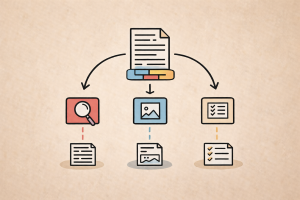
Introduction
Chunking is the single most impactful design decision in a RAG pipeline. Before any embedding model, vector store, or retrieval strategy can do its job, your documents must be sliced into chunks — and how you slice them determines what gets retrieved.
A poor chunking strategy leads to diluted embeddings, mid-sentence breaks, topic mixing, and lost context. A well-chosen strategy preserves semantic boundaries, keeps related information together, and produces embeddings that match user queries accurately.
According to Chroma’s research on evaluating chunking strategies, the choice of chunking strategy can impact recall by up to 9% — the difference between a RAG system that works and one that hallucinates.
This article walks through every major chunking approach — from naive character splitting to LLM-powered agentic chunking and Jina AI’s late chunking — with code examples in LlamaIndex and LangChain, benchmark insights, and practical guidance for production systems.
Why Chunking Matters
The Embedding Bottleneck
Embedding models compress text of any length into a fixed-dimension vector (e.g., 768 or 1536 dimensions). Whether you embed 10 words or 1000 words, the output is the same size. This compression is inherently lossy — larger chunks lose more nuance per token.
The Retrieval Precision Trade-off
| Chunk Size | Embedding Quality | Retrieval Precision | Context for LLM |
|---|---|---|---|
| Too small | Sharp, focused | High precision, low recall | May lack context |
| Optimal | Balanced | Good precision and recall | Sufficient context |
| Too large | Diluted, coarse | Low precision, high recall | May contain noise |
The goal: chunks that are small enough to be semantically focused but large enough to preserve context.
Key Factors in Chunk Design
- Embedding model context window — Hard upper limit (typically 512–8192 tokens)
- Semantic coherence — Each chunk should represent one idea or topic
- Retrieval granularity — Smaller chunks = more precise retrieval
- LLM context budget — How much of the context window you allocate to retrieved chunks
- Document structure — Headers, tables, lists, code blocks have natural boundaries
Strategy 1: Fixed-Size (Character / Token) Splitting
The simplest approach: split text into chunks of exactly N characters or tokens, with optional overlap.
How It Works
graph LR
    A["Full Document"] --> B["Chunk 1<br/>(0–500)"]
    A --> C["Chunk 2<br/>(400–900)"]
    A --> D["Chunk 3<br/>(800–1300)"]
    A --> E["..."]

    style A fill:#4a90d9,color:#fff,stroke:#333
    style B fill:#f5a623,color:#fff,stroke:#333
    style C fill:#f5a623,color:#fff,stroke:#333
    style D fill:#f5a623,color:#fff,stroke:#333
    style E fill:#ccc,color:#333,stroke:#333
LangChain
from langchain.text_splitter import CharacterTextSplitter, TokenTextSplitter

# Character-based splitting
char_splitter = CharacterTextSplitter(
    chunk_size=500,
    chunk_overlap=100,
    separator=""  # Split on any character boundary
)

# Token-based splitting (more precise)
token_splitter = TokenTextSplitter(
    chunk_size=256,
    chunk_overlap=50,
    encoding_name="cl100k_base"  # GPT-4 tokenizer
)

chunks = token_splitter.split_text(document_text)
LlamaIndex
from llama_index.core.node_parser import TokenTextSplitter

splitter = TokenTextSplitter(
    chunk_size=256,
    chunk_overlap=50,
)

nodes = splitter.get_nodes_from_documents(documents)
When to Use
- Quick prototyping where chunking quality is not critical
- Uniform-length documents with no structural hierarchy
- Baseline comparison against smarter strategies
Limitations
- Breaks sentences mid-word or mid-thought
- Ignores document structure (headers, paragraphs, tables)
- Mixes unrelated topics within a single chunk
- Chroma’s evaluation shows
TokenTextSplitterat 800 tokens with 400 overlap scored the lowest precision across all metrics
Strategy 2: Recursive Character Splitting
The most popular chunking method in practice. It splits text using an ordered list of separators, trying the largest structural boundaries first and falling back to smaller ones.
How It Works
graph TD
    A["Full Document"] --> B{"Split by \\n\\n<br/>(paragraphs)"}
    B -->|Chunk > max| C{"Split by \\n<br/>(newlines)"}
    B -->|Chunk ≤ max| D["Done ✓"]
    C -->|Chunk > max| E{"Split by .<br/>(sentences)"}
    C -->|Chunk ≤ max| D
    E -->|Chunk > max| F{"Split by space"}
    E -->|Chunk ≤ max| D
    F --> D

    style A fill:#4a90d9,color:#fff,stroke:#333
    style B fill:#e74c3c,color:#fff,stroke:#333
    style C fill:#f5a623,color:#fff,stroke:#333
    style D fill:#27ae60,color:#fff,stroke:#333
    style E fill:#9b59b6,color:#fff,stroke:#333
    style F fill:#e67e22,color:#fff,stroke:#333
LangChain
from langchain.text_splitter import RecursiveCharacterTextSplitter

splitter = RecursiveCharacterTextSplitter(
    chunk_size=500,
    chunk_overlap=100,
    separators=["\n\n", "\n", ".", "?", "!", " ", ""],
    length_function=len,
)

chunks = splitter.split_text(document_text)
LlamaIndex
from llama_index.core.node_parser import SentenceSplitter

# SentenceSplitter is LlamaIndex's equivalent — it respects
# sentence boundaries while targeting a chunk size
splitter = SentenceSplitter(
    chunk_size=512,
    chunk_overlap=50,
)

nodes = splitter.get_nodes_from_documents(documents)
Benchmark Results
Chroma’s evaluation found that RecursiveCharacterTextSplitter with chunk size 200, no overlap consistently performs well across metrics:
| Configuration | Recall | IoU | Precision_Ω |
|---|---|---|---|
| Recursive (200, no overlap) | 88.1% | 7.0 | 29.9 |
| Recursive (400, 200 overlap) | 88.1% | 3.3 | 13.9 |
| TokenText (800, 400 overlap) | 87.9% | 1.4 | 4.7 |
Key insight: smaller chunks with no overlap outperform larger chunks with heavy overlap on both recall and token efficiency (IoU).
Separator Choice Matters
The default LangChain separators ["\n\n", "\n", " ", ""] often produce very short chunks. Chroma’s research recommends adding sentence-ending punctuation:
# Better separators for RecursiveCharacterTextSplitter
separators = ["\n\n", "\n", ".", "?", "!", " ", ""]
When to Use
- General-purpose RAG — best default choice
- Text-heavy documents (articles, reports, books)
- You want good results without embedding-model dependency
Strategy 3: Document-Aware (Structural) Splitting
Leverages document structure — markdown headers, HTML tags, code blocks — to create chunks that align with the author’s intended organization.
Markdown Header Splitting
from langchain.text_splitter import MarkdownHeaderTextSplitter

headers_to_split_on = [
    ("#", "Header 1"),
    ("##", "Header 2"),
    ("###", "Header 3"),
]

splitter = MarkdownHeaderTextSplitter(
    headers_to_split_on=headers_to_split_on
)

chunks = splitter.split_text(markdown_text)
# Each chunk has metadata: {"Header 1": "...", "Header 2": "..."}
HTML Header Splitting
from langchain.text_splitter import HTMLHeaderTextSplitter

headers_to_split_on = [
    ("h1", "Header 1"),
    ("h2", "Header 2"),
    ("h3", "Header 3"),
]

splitter = HTMLHeaderTextSplitter(
    headers_to_split_on=headers_to_split_on
)

chunks = splitter.split_text(html_text)
Two-Stage Splitting
In practice, structural splitting produces chunks of highly variable size. Combine it with recursive splitting for consistent chunk sizes:
from langchain.text_splitter import (
    MarkdownHeaderTextSplitter,
    RecursiveCharacterTextSplitter,
)

# Stage 1: Split by structure
md_splitter = MarkdownHeaderTextSplitter(
    headers_to_split_on=[("#", "H1"), ("##", "H2"), ("###", "H3")]
)
structural_chunks = md_splitter.split_text(markdown_text)

# Stage 2: Enforce size limits
text_splitter = RecursiveCharacterTextSplitter(
    chunk_size=500,
    chunk_overlap=50,
)

final_chunks = text_splitter.split_documents(structural_chunks)
LlamaIndex — MarkdownNodeParser
from llama_index.core.node_parser import MarkdownNodeParser

parser = MarkdownNodeParser()
nodes = parser.get_nodes_from_documents(documents)
# Nodes automatically capture header hierarchy as metadata
When to Use
- Well-structured documents (technical docs, wikis, README files)
- Multi-format ingestion where you need to preserve hierarchy
- When metadata enrichment (section titles) improves retrieval
Strategy 4: Semantic Chunking
Instead of relying on character positions or structural markers, semantic chunking uses embedding similarity to detect topic boundaries.
How It Works
- Split text into sentences
- Embed each sentence (or sliding window of sentences)
- Compute cosine similarity between consecutive sentence embeddings
- Detect breakpoints where similarity drops sharply
- Group consecutive similar sentences into chunks
graph TD
    A["Sentences"] --> B["Embed each<br/>sentence"]
    B --> C["Compute pairwise<br/>cosine similarity"]
    C --> D{"Similarity<br/>drop > threshold?"}
    D -->|Yes| E["Split here ✂️"]
    D -->|No| F["Continue<br/>grouping"]
    E --> G["Chunk boundaries<br/>aligned to topics"]
    F --> G

    style A fill:#4a90d9,color:#fff,stroke:#333
    style B fill:#9b59b6,color:#fff,stroke:#333
    style C fill:#e67e22,color:#fff,stroke:#333
    style D fill:#e74c3c,color:#fff,stroke:#333
    style E fill:#27ae60,color:#fff,stroke:#333
    style F fill:#f5a623,color:#fff,stroke:#333
    style G fill:#1abc9c,color:#fff,stroke:#333
LangChain — SemanticChunker
from langchain_experimental.text_splitter import SemanticChunker
from langchain_openai import OpenAIEmbeddings

embeddings = OpenAIEmbeddings(model="text-embedding-3-small")

chunker = SemanticChunker(
    embeddings,
    breakpoint_threshold_type="percentile",
    breakpoint_threshold_amount=95,  # Split at top 5% similarity drops
)

chunks = chunker.split_text(document_text)
LlamaIndex — SemanticSplitterNodeParser
from llama_index.core.node_parser import SemanticSplitterNodeParser
from llama_index.embeddings.openai import OpenAIEmbedding

embed_model = OpenAIEmbedding(model="text-embedding-3-small")

splitter = SemanticSplitterNodeParser(
    buffer_size=1,  # Sentences in sliding window
    breakpoint_percentile_threshold=95,
    embed_model=embed_model,
)

nodes = splitter.get_nodes_from_documents(documents)
Cluster Semantic Chunking
Chroma proposed a more sophisticated variant: the ClusterSemanticChunker. Instead of greedily splitting at local breakpoints, it uses dynamic programming to globally maximize intra-chunk cosine similarity:
| Method | Recall | IoU | Precision_Ω |
|---|---|---|---|
| Kamradt Semantic (default) | 83.6% | 1.5 | 7.4 |
| Kamradt Modified (300 tokens) | 87.1% | 2.1 | 10.5 |
| Cluster Semantic (400 tokens) | 91.3% | 4.5 | 20.7 |
| Cluster Semantic (200 tokens) | 87.3% | 8.0 | 34.0 |
The Cluster Semantic Chunker at 400 tokens achieved the second highest recall (91.3%) while maintaining strong precision.
Trade-offs
Advantages:
- Chunks align with actual topic boundaries
- Produces semantically coherent units
- Works across document types without structural markers
Disadvantages:
- Requires calling an embedding model during chunking (cost + latency)
- Chunk sizes are variable and hard to control
- Default Kamradt semantic chunking can produce oversized chunks
- Embedding model quality directly affects chunk quality
When to Use
- Heterogeneous corpora where documents lack consistent structure
- Topic-dense documents where paragraphs blend multiple subjects
- You can afford the embedding cost during ingestion
Strategy 5: Parent-Child (Hierarchical) Chunking
A retrieval-time strategy that decouples what you search on from what you pass to the LLM. Small chunks (children) are used for precise embedding search; when a child matches, its larger parent chunk is sent to the LLM for richer context.
How It Works
graph TD
    A["Document"] --> B["Parent Chunk<br/>(512 tokens)"]
    B --> C["Child 1<br/>(128 tokens)"]
    B --> D["Child 2<br/>(128 tokens)"]
    B --> E["Child 3<br/>(128 tokens)"]
    B --> F["Child 4<br/>(128 tokens)"]

    G["Query"] --> H["Search children"]
    H --> D
    D --> I["Return parent<br/>for LLM context"]

    style A fill:#4a90d9,color:#fff,stroke:#333
    style B fill:#e74c3c,color:#fff,stroke:#333
    style C fill:#f5a623,color:#fff,stroke:#333
    style D fill:#27ae60,color:#fff,stroke:#333
    style E fill:#f5a623,color:#fff,stroke:#333
    style F fill:#f5a623,color:#fff,stroke:#333
    style G fill:#9b59b6,color:#fff,stroke:#333
    style H fill:#e67e22,color:#fff,stroke:#333
    style I fill:#1abc9c,color:#fff,stroke:#333
LlamaIndex — Auto Merging Retriever
from llama_index.core.node_parser import HierarchicalNodeParser, get_leaf_nodes
from llama_index.core.retrievers import AutoMergingRetriever
from llama_index.core import StorageContext, VectorStoreIndex

# Create hierarchical nodes
node_parser = HierarchicalNodeParser.from_defaults(
    chunk_sizes=[512, 256, 128]  # Parent -> child -> grandchild
)

nodes = node_parser.get_nodes_from_documents(documents)
leaf_nodes = get_leaf_nodes(nodes)

# Build index on leaf nodes only
storage_context = StorageContext.from_defaults()
storage_context.docstore.add_documents(nodes)

index = VectorStoreIndex(leaf_nodes, storage_context=storage_context)

# AutoMergingRetriever returns parent when enough children match
retriever = AutoMergingRetriever(
    index.as_retriever(similarity_top_k=12),
    storage_context,
    simple_ratio_thresh=0.3,  # Merge if 30%+ of children match
)
LangChain — ParentDocumentRetriever
from langchain.retrievers import ParentDocumentRetriever
from langchain.text_splitter import RecursiveCharacterTextSplitter
from langchain.storage import InMemoryStore
from langchain_community.vectorstores import Chroma
from langchain_openai import OpenAIEmbeddings

# Child splitter (small chunks for search)
child_splitter = RecursiveCharacterTextSplitter(chunk_size=200)

# Parent splitter (larger chunks for LLM context)
parent_splitter = RecursiveCharacterTextSplitter(chunk_size=800)

vectorstore = Chroma(
    collection_name="parent_child",
    embedding_function=OpenAIEmbeddings(),
)
docstore = InMemoryStore()

retriever = ParentDocumentRetriever(
    vectorstore=vectorstore,
    docstore=docstore,
    child_splitter=child_splitter,
    parent_splitter=parent_splitter,
)

retriever.add_documents(documents)
results = retriever.invoke("What is the attention mechanism?")
When to Use
- You need precise search but rich context for the LLM
- Documents have varying granularity of information
- You want to avoid the precision-context trade-off entirely
Strategy 6: Agentic (LLM-Powered) Chunking
Uses an LLM to decide where to split the document. The LLM reads the text and identifies natural breakpoints based on semantic understanding.
How It Works
- Pre-split the document into small fixed-size pieces (e.g., 50 tokens each)
- Present the pieces to an LLM with tagged boundaries
- Ask the LLM to return which boundaries should be split points
- Merge pieces according to the LLM’s decisions
Implementation
from openai import OpenAI
from langchain.text_splitter import RecursiveCharacterTextSplitter

client = OpenAI()

def agentic_chunk(text: str, model: str = "gpt-4o-mini") -> list[str]:
    # Step 1: Pre-split into small pieces
    splitter = RecursiveCharacterTextSplitter(chunk_size=200, chunk_overlap=0)
    pieces = splitter.split_text(text)

    # Step 2: Tag pieces with boundaries
    tagged = ""
    for i, piece in enumerate(pieces):
        tagged += f"<start_chunk_{i}>{piece}<end_chunk_{i}>"

    # Step 3: Ask LLM to identify split points
    response = client.chat.completions.create(
        model=model,
        messages=[{
            "role": "system",
            "content": (
                "You are a document chunker. Given tagged text pieces, "
                "identify where to split the document into semantically "
                "coherent chunks. Return ONLY the piece indices to split "
                "after, as comma-separated numbers. "
                "Example: split_after: 3, 7, 12"
            )
        }, {
            "role": "user",
            "content": tagged
        }],
        temperature=0,
    )

    # Step 4: Parse split points and merge
    split_text = response.choices[0].message.content
    split_indices = [
        int(x.strip())
        for x in split_text.replace("split_after:", "").split(",")
        if x.strip().isdigit()
    ]

    chunks = []
    current = []
    for i, piece in enumerate(pieces):
        current.append(piece)
        if i in split_indices:
            chunks.append(" ".join(current))
            current = []
    if current:
        chunks.append(" ".join(current))

    return chunks
Benchmark Results
Chroma’s evaluation tested LLM-based chunking with GPT-4o:
| Method | Recall | IoU | Precision_Ω |
|---|---|---|---|
| LLM Chunker (GPT-4o) | 91.9% | 3.9 | 19.9 |
| Cluster Semantic (400) | 91.3% | 4.5 | 20.7 |
| Recursive (200, no overlap) | 88.1% | 7.0 | 29.9 |
The LLM Chunker achieved the highest recall (91.9%) in Chroma’s evaluation, confirming that LLMs are capable chunkers.
Trade-offs
Advantages:
- Best semantic understanding of content boundaries
- Adapts to any document type or domain
- Can handle complex structures (tables, mixed formats)
Disadvantages:
- Expensive — requires LLM inference during ingestion
- Slow — orders of magnitude slower than heuristic methods
- Non-deterministic — same document may chunk differently
- Results depend on model quality and prompt engineering
When to Use
- High-value, low-volume document sets where quality is paramount
- Complex or unusual document formats that heuristics can’t handle
- You have the compute budget for LLM-based ingestion
Strategy 7: Late Chunking
A fundamentally different approach proposed by Jina AI (Günther et al., 2024). Instead of chunking before embedding, late chunking applies the transformer model first, then chunks the token embeddings after.
How Traditional vs. Late Chunking Works
graph TB
    subgraph Traditional["Traditional Chunking"]
        A1["Document"] --> A2["Chunk 1"]
        A1 --> A3["Chunk 2"]
        A1 --> A4["Chunk 3"]
        A2 --> A5["Embed"]
        A3 --> A6["Embed"]
        A4 --> A7["Embed"]
        A5 --> A8["Vec 1"]
        A6 --> A9["Vec 2"]
        A7 --> A10["Vec 3"]
    end

    subgraph Late["Late Chunking"]
        B1["Document"] --> B2["Full Transformer<br/>Pass"]
        B2 --> B3["Token Embeddings<br/>(with full context)"]
        B3 --> B4["Chunk 1<br/>Mean Pool"]
        B3 --> B5["Chunk 2<br/>Mean Pool"]
        B3 --> B6["Chunk 3<br/>Mean Pool"]
        B4 --> B7["Vec 1"]
        B5 --> B8["Vec 2"]
        B6 --> B9["Vec 3"]
    end

    style A1 fill:#e74c3c,color:#fff,stroke:#333
    style B1 fill:#27ae60,color:#fff,stroke:#333
    style A8 fill:#e74c3c,color:#fff,stroke:#333
    style A9 fill:#e74c3c,color:#fff,stroke:#333
    style A10 fill:#e74c3c,color:#fff,stroke:#333
    style B7 fill:#27ae60,color:#fff,stroke:#333
    style B8 fill:#27ae60,color:#fff,stroke:#333
    style B9 fill:#27ae60,color:#fff,stroke:#333

    Traditional ~~~ Late
    style Traditional fill:#F2F2F2,stroke:#D9D9D9
    style Late fill:#F2F2F2,stroke:#D9D9D9
The Key Insight
In traditional chunking, each chunk is embedded in isolation — losing references to other parts of the document. When a chunk says “this approach outperforms the baseline”, the embedding doesn’t know what “this approach” or “the baseline” refers to.
Late chunking runs the entire document through the transformer first. Every token’s embedding captures full document context via the attention mechanism. Only then are token embeddings grouped into chunks and mean-pooled into chunk vectors. The result: chunk embeddings that retain cross-chunk context.
Implementation with Jina AI
import requests

# Using Jina AI's API with late chunking
response = requests.post(
    "https://api.jina.ai/v1/embeddings",
    headers={"Authorization": "Bearer YOUR_API_KEY"},
    json={
        "model": "jina-embeddings-v3",
        "input": ["Your full document text here..."],
        "late_chunking": True
    }
)

# Returns chunk embeddings with full document context
embeddings = response.json()["data"]
Manual Late Chunking Concept
For long-context embedding models that expose token-level embeddings:
import torch
import numpy as np

def late_chunking(
    token_embeddings: torch.Tensor,  # (seq_len, hidden_dim)
    chunk_spans: list[tuple[int, int]],  # [(start, end), ...]
) -> list[np.ndarray]:
    """Apply mean pooling per chunk span over contextualized token embeddings."""
    chunk_vectors = []
    for start, end in chunk_spans:
        chunk_tokens = token_embeddings[start:end]
        chunk_vec = chunk_tokens.mean(dim=0).detach().numpy()
        chunk_vectors.append(chunk_vec)
    return chunk_vectors
When to Use
- You use a long-context embedding model (e.g., Jina Embeddings v3)
- Documents have heavy cross-references and coreferences
- You want chunk embeddings that understand document-level context
- The embedding model’s context window can fit your documents
Limitations
- Requires long-context embedding models (not all models support this)
- Document must fit within the model’s context window
- Currently best supported through Jina AI’s API
- Cannot be applied retroactively to existing embeddings
Strategy 8: Contextual Retrieval (Chunk + Context Header)
Introduced by Anthropic, this approach doesn’t change how you chunk — it enriches each chunk with a context header generated by an LLM that summarizes where the chunk fits within the whole document.
How It Works
- Chunk the document using any strategy
- For each chunk, prompt an LLM with the full document + chunk
- The LLM generates a short context header (2–3 sentences)
- Prepend the header to the chunk before embedding
Implementation
from openai import OpenAI

client = OpenAI()

def add_context_header(
    full_document: str,
    chunk: str,
    model: str = "gpt-4o-mini",
) -> str:
    """Generate a context header for a chunk using the full document."""
    response = client.chat.completions.create(
        model=model,
        messages=[{
            "role": "user",
            "content": (
                f"<document>\n{full_document}\n</document>\n"
                f"<chunk>\n{chunk}\n</chunk>\n\n"
                "Give a short succinct context to situate this chunk within "
                "the overall document for the purposes of improving search "
                "retrieval of the chunk. Answer only with the succinct context "
                "and nothing else."
            )
        }],
        temperature=0,
        max_tokens=150,
    )
    context = response.choices[0].message.content
    return f"{context}\n\n{chunk}"


# Apply to all chunks
enriched_chunks = [
    add_context_header(full_doc, chunk) for chunk in chunks
]
When to Use
- Chunks frequently lose context (pronouns, relative references)
- You can afford LLM calls per chunk during ingestion
- Pairs well with any chunking strategy as a post-processing step
Comparison: All Strategies at a Glance
| Strategy | Semantic Awareness | Speed | Cost | Chunk Size Control | Best For |
|---|---|---|---|---|---|
| Fixed-size | None | ⚡ Fastest | Free | Exact | Prototyping |
| Recursive | Low (separators) | ⚡ Fast | Free | Good | General-purpose RAG |
| Document-aware | Medium (structure) | ⚡ Fast | Free | Variable | Structured docs |
| Semantic | High (embeddings) | 🐢 Medium | $ Embedding | Variable | Topic-dense docs |
| Parent-child | Low–Medium | ⚡ Fast | Free | Two-level | Precision + context |
| Agentic (LLM) | Highest | 🐌 Slow | $$$ LLM | Variable | High-value docs |
| Late chunking | High (contextual) | 🐢 Medium | $ Embedding | Good | Cross-referenced docs |
| Contextual | High (post-hoc) | 🐌 Slow | $$$ LLM | Any | Context-poor chunks |
Practical Recommendations
Default Starting Point
For most RAG systems, start with RecursiveCharacterTextSplitter:
from langchain.text_splitter import RecursiveCharacterTextSplitter

splitter = RecursiveCharacterTextSplitter(
    chunk_size=500,      # ~200 tokens
    chunk_overlap=0,     # Overlap often hurts more than it helps
    separators=["\n\n", "\n", ".", "?", "!", " ", ""],
)
Chroma’s research confirms this produces competitive results without any embedding cost.
Chunk Size Guidelines
| Document Type | Recommended Chunk Size | Strategy |
|---|---|---|
| Technical docs | 200–400 tokens | Recursive + MarkdownHeaders |
| Legal / financial | 300–500 tokens | Document-aware + parent-child |
| Chat logs / transcripts | 150–250 tokens | Semantic |
| Knowledge base articles | 200–400 tokens | Recursive |
| Code repositories | Per function/class | Document-aware (AST-based) |
Decision Flowchart
graph TD
    A["Start"] --> B{"Documents<br/>well-structured?"}
    B -->|Yes| C["Document-aware<br/>+ Recursive fallback"]
    B -->|No| D{"Budget for<br/>embedding calls?"}
    D -->|Yes| E{"Need cross-chunk<br/>context?"}
    D -->|No| F["Recursive Character<br/>Splitter"]
    E -->|Yes| G["Late Chunking<br/>or Contextual Retrieval"]
    E -->|No| H["Semantic Chunking"]
    C --> I{"Need precise search<br/>+ rich LLM context?"}
    I -->|Yes| J["Add Parent-Child<br/>retrieval"]
    I -->|No| K["Done ✓"]

    style A fill:#4a90d9,color:#fff,stroke:#333
    style F fill:#27ae60,color:#fff,stroke:#333
    style G fill:#9b59b6,color:#fff,stroke:#333
    style H fill:#e67e22,color:#fff,stroke:#333
    style J fill:#e74c3c,color:#fff,stroke:#333
    style K fill:#1abc9c,color:#fff,stroke:#333
    style C fill:#f5a623,color:#fff,stroke:#333
Things to Avoid
- Don’t default to large chunks with heavy overlap — OpenAI Assistants’ default of 800 tokens / 400 overlap scored worst in benchmarks
- Don’t ignore your separator list — the default
["\n\n", "\n", " ", ""]produces inconsistent chunks; add punctuation separators - Don’t assume one strategy fits all — mix strategies per document type in your pipeline
- Don’t skip evaluation — always measure chunking impact on your actual queries
Evaluating Your Chunking Strategy
Token-Level Metrics
Following Chroma’s research, evaluate chunking with token-level metrics instead of document-level:
- Recall — What fraction of relevant tokens were retrieved?
- Precision — What fraction of retrieved tokens were relevant?
- IoU (Intersection over Union) — How well do retrieved chunks overlap with relevant excerpts?
\text{IoU} = \frac{|t_e \cap t_r|}{|t_e| + |t_r| - |t_e \cap t_r|}
where t_e is the set of relevant excerpt tokens and t_r is the set of retrieved tokens.
Quick Evaluation Setup
def evaluate_chunking(chunks, queries_with_excerpts, embed_model, top_k=5):
    """Evaluate a chunking strategy on a set of queries and known excerpts."""
    from sklearn.metrics.pairwise import cosine_similarity
    import numpy as np

    chunk_embeddings = embed_model.embed_documents(chunks)
    results = {"recall": [], "precision": [], "iou": []}

    for query, excerpt_tokens in queries_with_excerpts:
        query_emb = embed_model.embed_query(query)
        sims = cosine_similarity([query_emb], chunk_embeddings)[0]
        top_indices = np.argsort(sims)[-top_k:]

        retrieved_tokens = set()
        for idx in top_indices:
            retrieved_tokens.update(chunks[idx].split())

        relevant = set(excerpt_tokens)
        intersection = relevant & retrieved_tokens

        recall = len(intersection) / len(relevant) if relevant else 0
        precision = len(intersection) / len(retrieved_tokens) if retrieved_tokens else 0
        union = len(relevant) + len(retrieved_tokens) - len(intersection)
        iou = len(intersection) / union if union else 0

        results["recall"].append(recall)
        results["precision"].append(precision)
        results["iou"].append(iou)

    return {k: np.mean(v) for k, v in results.items()}
Conclusion
Chunking is not a solved problem — it’s a design decision that depends on your documents, your embedding model, your queries, and your budget. The landscape spans from zero-cost heuristics to expensive LLM-powered approaches, and the right choice depends on your constraints.
Key takeaways:
- Start with RecursiveCharacterTextSplitter at ~200 tokens, no overlap — it’s the best cost-performance default
- Use document-aware splitting when your documents have clear structure
- Semantic chunking pays off for topic-dense, unstructured text
- Parent-child retrieval solves the precision-vs-context dilemma without changing how you chunk
- Late chunking is the most principled approach for preserving cross-chunk context, but requires compatible embedding models
- Agentic and contextual approaches deliver the highest quality but at significant cost
- Always evaluate — use token-level metrics (IoU, recall, precision) on your real queries
The best RAG systems often combine multiple strategies: document-aware splitting with recursive fallback, parent-child retrieval for context, and contextual headers for disambiguation. Start simple, measure, and iterate.
Read More
- Pair your chunking strategy with the right embedding model and reranker for maximum retrieval quality.
- Measure the impact of your chunking choices with RAG evaluation metrics like context recall and faithfulness.
- Explore GraphRAG for documents where entity relationships matter more than semantic similarity.
- Build an agentic RAG system that dynamically selects the best retrieval strategy per query.